QR codes on your event: everything you need to know
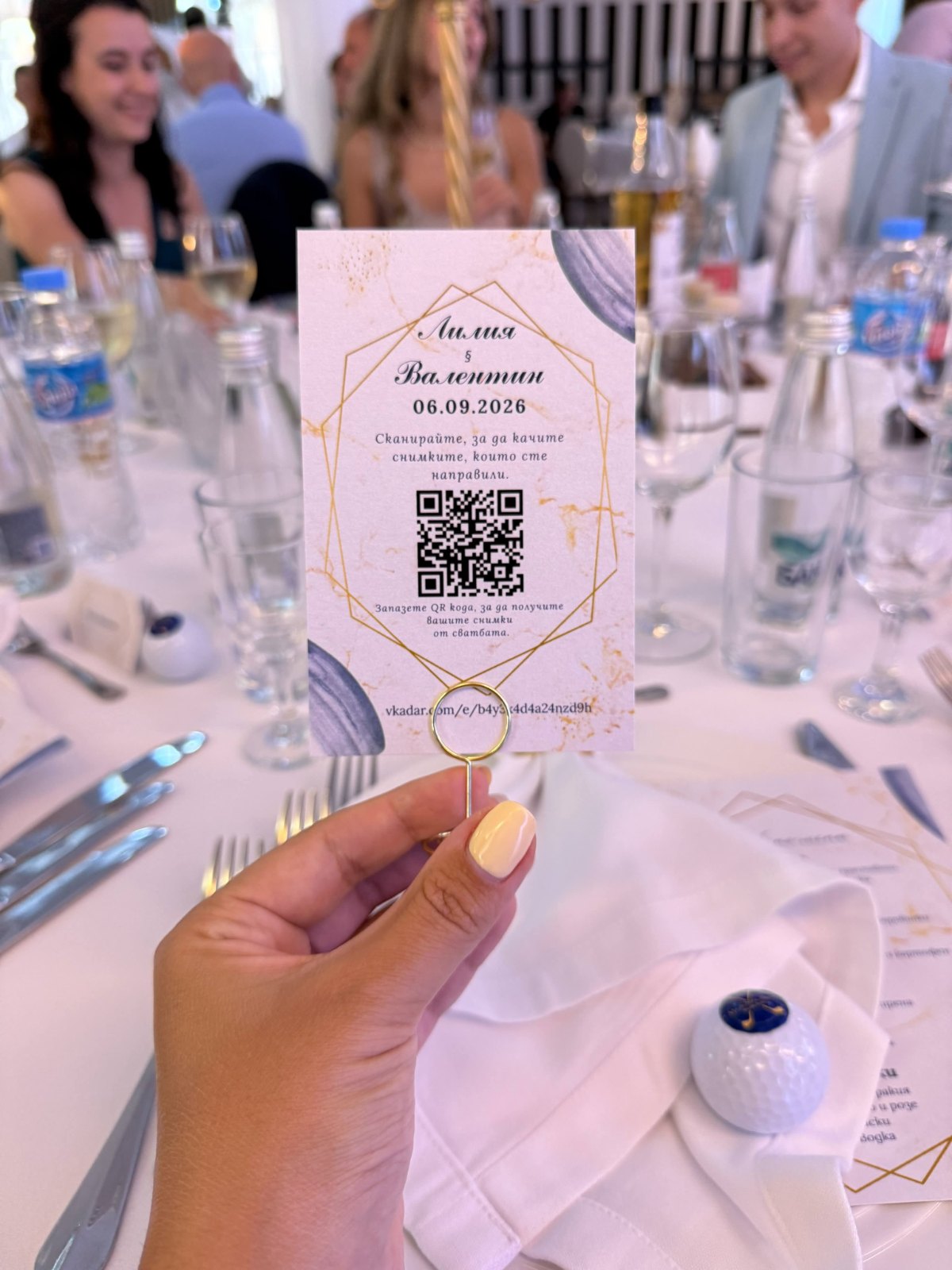
QR codes are the easiest way to access the modern, personalized galleries of "V Kadar"
But simply printing a code and displaying it isn't enough. If it has the wrong proportions, is placed in the wrong location, or has poor color contrast on the card, guests won't be able to scan it. In this article, we'll cover everything you need to know about QR codes and how to make them work best on your event day.
The recipe for a working QR code
A QR code that can't be scanned causes confusion. The reasons are almost always the same: the code is too small, there isn't enough color contrast, or the code has been stretched out of shape. Three simple rules ensure your QR code works properly:
- Recommended minimum size: The basic rule is that the scanning distance should be no more than 10 times the width of the QR code. In other words, to scan a code from 50 cm away, the code should be at least 5 × 5 cm. For a large banner scanned from 1.5 m away, the QR code should be at least 15 × 15 cm.
- Contrast and background: Your phone's camera analyzes the contrast between the dark sections and the light background. The rule is simple: the background should be white or very light, while the QR code sections should be black or very dark. The recommended contrast ratio is at least 4:1. Avoid saturated or colored backgrounds, gradients, or images behind the QR code. If you're printing the code on a branded card, make sure there's a white area around the code itself. To be safe, test and scan it on several different devices before printing.
- Logo in the middle - yes or no?: Technically, this can work. QR codes allow up to 30% of their data to be obscured without losing readability. This makes placing a logo in the center possible, allowing for branding and personalization. However, to be on the safe side, check that even budget smartphones can scan it without any problems, not just the latest iPhone model.
Where to place the QR code at your event
Placement is just as important for engagement as the quality of the code itself. A perfectly designed card with a QR code may not get scanned very often if it's placed somewhere guests won't notice it.
For weddings, several locations have proven to be particularly reliable.
- At the entrance - the first place guests see when they arrive. Guests are still waiting, gathering around the entrance, and chatting - making it the perfect spot to place a QR code for the gallery where they can upload the photos they take throughout the evening. A small card or sign with the QR code and brief instructions works perfectly here.
"Scan to access the event gallery, where you can find photos featuring you and upload your own."
-
On the tables. Each table can have its own card. The QR code can be smaller, since a card on the table can be scanned from a distance of 30–40 cm. Having a code on every table encourages conversations between guests, lets everyone at the table browse the gallery together, and helps increase engagement and photo uploads.
-
On a screen or video wall. This isn't always an option, but displaying the QR code on a large screen can drive high engagement with the event gallery. The code will be visible to everyone throughout the event. Since guests will scan it from a greater distance, the QR code must be sized accordingly. A short instruction on the screen is enough to introduce guests to the event gallery.
-
In the bathroom. Yes, you read that right. The bathroom, where everyone takes mirror selfies, is one of the best places to remind guests to upload all the moments from the evening to the shared gallery. A small QR code placed near the mirror, somewhere highly visible, is all you need.
-
At the photo booth. Photo booths are becoming increasingly popular at weddings, and they're the perfect place to display a QR code. Everyone is already taking pictures there, so why not encourage them to upload those photos to the shared gallery afterward?
Generating a QR code
Creating a QR code has never been easier with "V Kadar". All you need to do is create your event page, and the system will automatically generate a QR code for you to use. The QR code takes guests to the wedding gallery, where they can upload photos directly. The photographer can upload photos too - and in the end, everyone can find only the photos they're featured in with a single selfie.
What are you waiting for? Create an event and generate your QR code for a personalized gallery, so all your guests can find the photos they're featured in and upload their own shots.